The environment you designed six months ago probably isn’t the environment you’re running today.
Most Azure Virtual Desktop environments start out well-designed.
VM sizes are carefully chosen.
Host pool capacity is planned.
Autoscale is configured.
At the beginning, everything fits.
But environments rarely stay static.
Users come and go.
Applications change.
Workloads evolve.
Over time, what was once the right size often becomes the wrong size.
That’s why Habit #6 exists.
Highly effective admins don’t assume their original VM sizing decisions are still correct.
They validate them regularly.
Environment Drift Is Inevitable
Even the most disciplined environments drift.
Over time, you may see:
- Increased user density on session hosts
- New applications changing resource demands
- Departments adopting new workflows
- Seasonal fluctuations in usage
None of this means that something was configured incorrectly.
It simply means the environment evolved.
The risk comes when sizing decisions stay frozen while everything else changes.
That’s where right-sizing becomes essential.
What Right-Sizing Actually Means
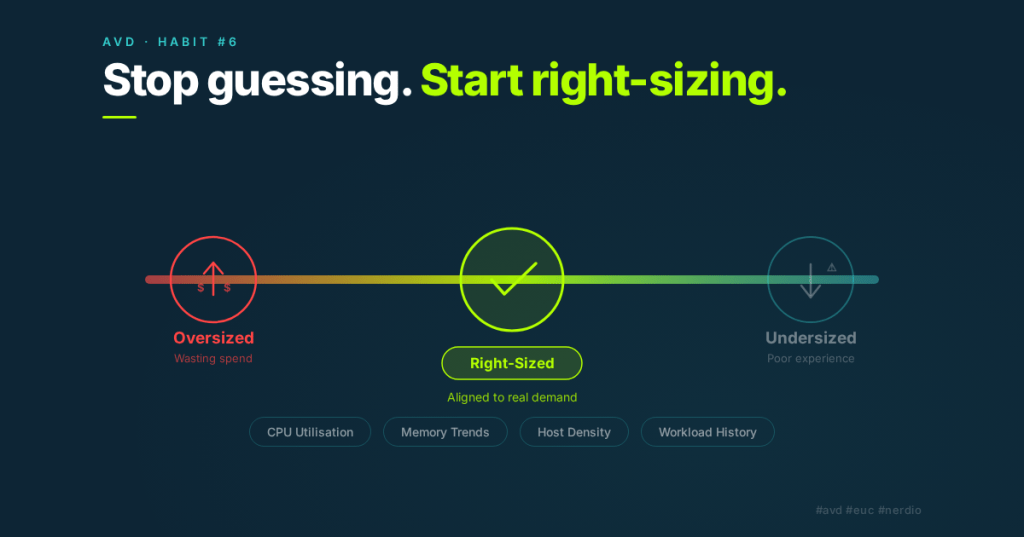
Right-sizing isn’t about aggressively shrinking VM sizes.
It’s about aligning infrastructure with real demand.
In Nerdio Manager for Enterprise, Nerdio Advisor helps surface opportunities where VM sizes or host counts no longer match usage patterns.
It analyses:
- CPU utilisation trends
- Memory utilisation
- Host density
- Historical workload behaviour
From this data, it can highlight potential opportunities to:
- Reduce VM size
- Adjust host counts
- Improve session density
- Eliminate unused capacity
Advisor doesn’t force changes.
It simply shows where optimisation may exist.
The Three Pillars of Habit #6
Like the other habits in this series, right-sizing becomes effective when it’s treated as a repeatable behaviour rather than a one-time task.
Pillar 1: Review Advisor Recommendations Regularly
Right-sizing should be part of your operational rhythm.
Highly effective admins review Advisor recommendations periodically to understand how their environment is evolving.
These reviews help answer questions such as:
Are hosts consistently underutilised?
Are machines running close to resource limits?
Has user demand changed since the environment was first deployed?
Looking at these trends regularly prevents small inefficiencies from turning into long-term overspend.
Pillar 2: Validate Host Pool Sizing Against Real Demand
Advisor recommendations are a starting point.
Before making changes, administrators should validate recommendations against how the environment is actually used.
Important considerations include:
- Login storms
- Peak usage periods
- Critical applications
- Future growth expectations
Right-sizing should always balance efficiency with user experience.
The goal is optimisation — not risk.
Pillar 3: Make Incremental Adjustments
The most successful optimisation strategies are gradual.
Highly effective admins:
- Test smaller VM sizes in validation pools
- Adjust session density carefully
- Monitor performance after changes
- Iterate based on real results
This approach ensures improvements are sustainable and predictable.
Large, aggressive changes introduce uncertainty.
Small, measured adjustments build confidence.
What This Habit Enables
When environments are regularly right-sized, several things happen.
First, infrastructure becomes more efficient.
Unused capacity is eliminated, and VM sizes better match the workloads they support.
Second, costs become more predictable.
Right-sizing ensures organisations are paying for what they actually use — not what they once needed.
Finally, operational confidence improves.
Administrators know their environment reflects current demand rather than historical assumptions.
Common Mistakes to Avoid
Right-sizing is powerful, but it can be misunderstood.
Some common pitfalls include:
- Treating right-sizing as a one-time exercise
- Blindly applying recommendations without validation
- Optimising based on short-term usage spikes
- Reducing VM sizes too aggressively
Good optimisation is disciplined.
It balances cost efficiency with stability.
How Habit #6 Builds on the Previous Habits
By the time organisations reach Habit #6, the earlier habits have already created a stable foundation.
Images are standardised.
Patching is predictable.
Applications are decoupled from images.
Autoscale behaviour is understood.
Only once that foundation exists does right-sizing become safe.
Without it, changing VM sizes can introduce instability.
With it, right-sizing becomes one of the most powerful cost optimisation tools available.
The Real Takeaway
Infrastructure decisions age.
What worked six months ago may not be optimal today.
Highly effective admins recognise this.
They don’t rely on past assumptions.
They validate them.
Regular right-sizing ensures that the environment you’re running today reflects the demands of today — not the design decisions of yesterday.
That’s the essence of Habit #6.
Next in the series:
Habit #7 — Optimise Log Analytics
Monitoring is essential for maintaining visibility into your environment, but unmanaged telemetry can quietly inflate Azure costs. The final habit explores how to maintain observability while keeping analytics costs under control.

Leave a comment